


|
Name |
MB Loader |
|---|---|
|
Category |
Tools |
|
Developer |
ENDERMANYK |
| Last version | 2.6 |
|
Updated |
|
|
Compatible with |
Android 7.1+ |
Introduction to MB Loader APK
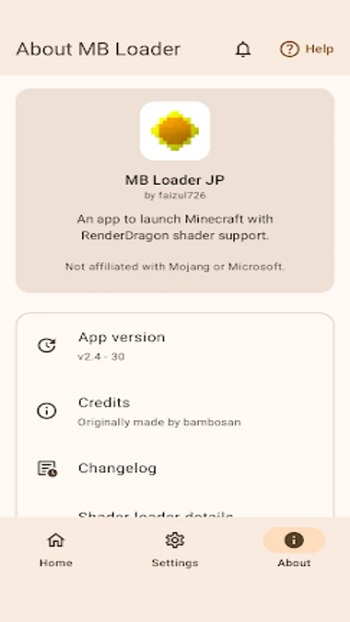
MB Loader APK is a mobile utility app designed for Minecraft Bedrock players who want a safer way to test mods, shaders, and add-ons on Android. Instead of modifying the main game installation, the app launches Minecraft through a separate environment. This setup allows players to experiment with visual changes or new content without affecting their regular worlds or settings.
The main purpose of MB Loader is simple: provide a controlled space for testing modifications. Many Minecraft players enjoy trying new shaders, skins, or add-ons from the community. Doing this directly in the main game can sometimes break worlds or cause configuration issues. MB Loader handles this problem by creating a dedicated instance of Minecraft where experiments stay isolated from the official game data.
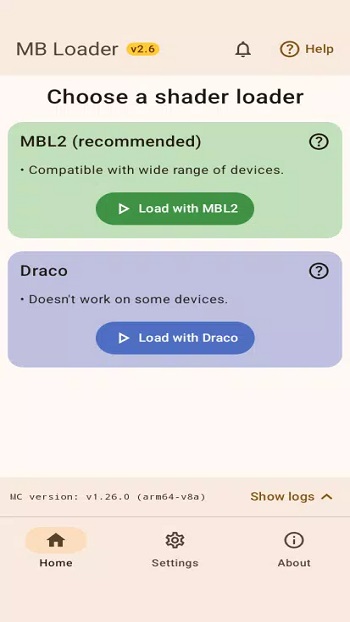
Shader loading is one of the app’s most practical features. Through loaders like MaterialBinLoader or Draco, the app enables RenderDragon shader support in Minecraft Bedrock. Users select a loader in the launcher and start the game through the app. The process is straightforward and helpful for creators who want to preview visual effects, lighting changes, or shader packs without constant reinstalling.
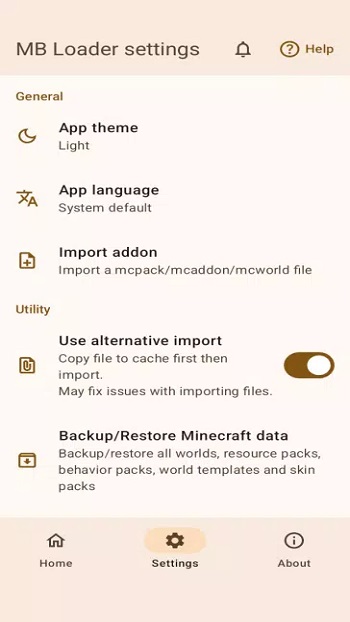
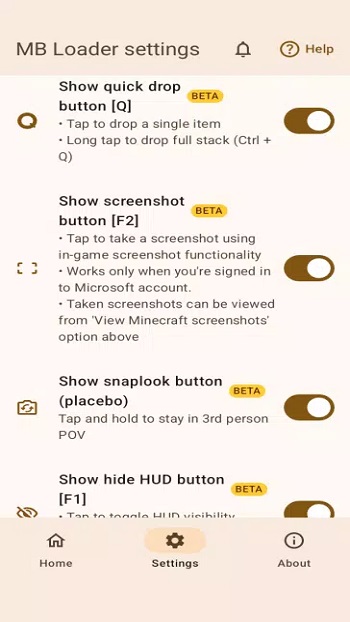
Another useful feature is its quick content management system. Add-ons can be imported in a single step, which reduces the time spent preparing files. The built-in photo picker also lets players choose skins directly from their device gallery. Small tools like overlay buttons for common controls, a screenshots viewer, and an options.txt editor make testing easier while staying inside the same session.
MB Loader also includes backup and restore options. Players can save their Minecraft worlds, resources, and settings before running tests. If a modification causes problems, restoring a previous backup takes only a few taps. This safety net is valuable for users who frequently experiment with custom content or build complex mod setups.
There are a few limitations to keep in mind. The app requires the official Minecraft installation because it launches the game rather than replacing it. Some features depend on compatibility with specific Minecraft versions or shader tools. MB Loader works best for players interested in testing shaders, add-ons, or configuration changes rather than casual players who simply want to play the game without adjustments.
For creators, mod testers, and Minecraft fans who like experimenting with visual upgrades or custom content, MB Loader offers a practical workflow. It fits situations where players need a controlled testing space, especially when trying multiple shader packs or add-ons during development.
FAQs MB Loader
What is MB Loader used for in Minecraft Bedrock?
+
MB Loader is a mobile utility that launches Minecraft Bedrock in a separate instance, allowing players to test shaders, add-ons, and settings without affecting their main game data.
How does MB Loader help with Minecraft shader testing?
+
The app supports RenderDragon shader loading through tools like MaterialBinLoader or Draco, letting users preview visual changes safely before applying them to the main game.
Does MB Loader modify the official Minecraft installation?
+
No. MB Loader runs alongside the official Minecraft app and creates a separate data location, which keeps the original worlds and settings unchanged.
Can MB Loader import Minecraft add-ons and skins?
+
Yes. Users can import add-ons with a quick import feature and select skins directly from their device gallery using the built-in photo picker.
Is MB Loader suitable for regular Minecraft players?
+
It mainly benefits mod testers, shader creators, and players who frequently experiment with custom content, since it provides a safe environment for testing modifications.
Discover More Interesting Apps
-

Theick.io
v0.4.8
29 MB
Updated -
Mod
Remote Mouse Pro
v5.306
63 MB
Updated -
Mod
TLS Tunnel
v7.2.6
27.95 Mb
Updated -
Ace Stream
v3.2.19.5
107.59 Mb
Updated -
90 FPS
v11.4
16.02 Mb
Updated -
Mod
Medix
v1.4.0
69.80 Mb
Updated -
Mod
Multi App
v2.7.0
37.47 Mb
Updated -
Sophon
v1.0.54.1
65.80 Mb
Updated -
Mod
SWAP - No ROOT
vv4.8.8
8.41 Mb
Updated -
Ultimate USB
v10.1.1
71.06 Mb
Updated










Share Your Thoughts